PowerTailor
Your battery, measured. Your charging, tailored.
PowerTailor measures how much charge your phone's battery still holds, shows you exactly why it drains, and warns you about charger problems before they leave you with a dead phone.
Android 8.0 and newer. Everything stays on your phone.
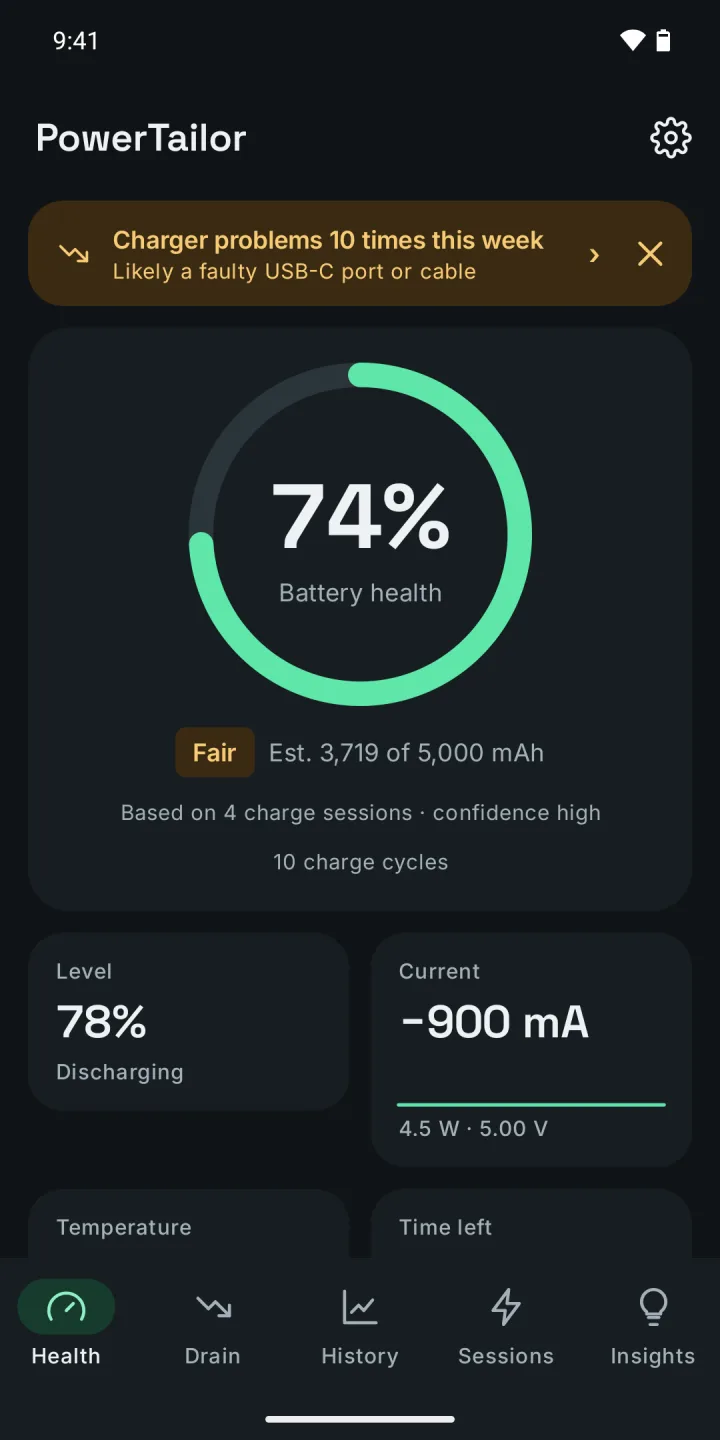
Know your battery's real health
Android doesn't tell you how worn your battery is. PowerTailor works it out from your own charges: the current flowing in, charge by charge, compared with what the battery held when it was new.
- Estimated capacity against design capacity, in mAh
- A confidence level, so you know when the estimate has settled
- Charge cycles, and a forecast of when health will drop below 80% and 70% Pro
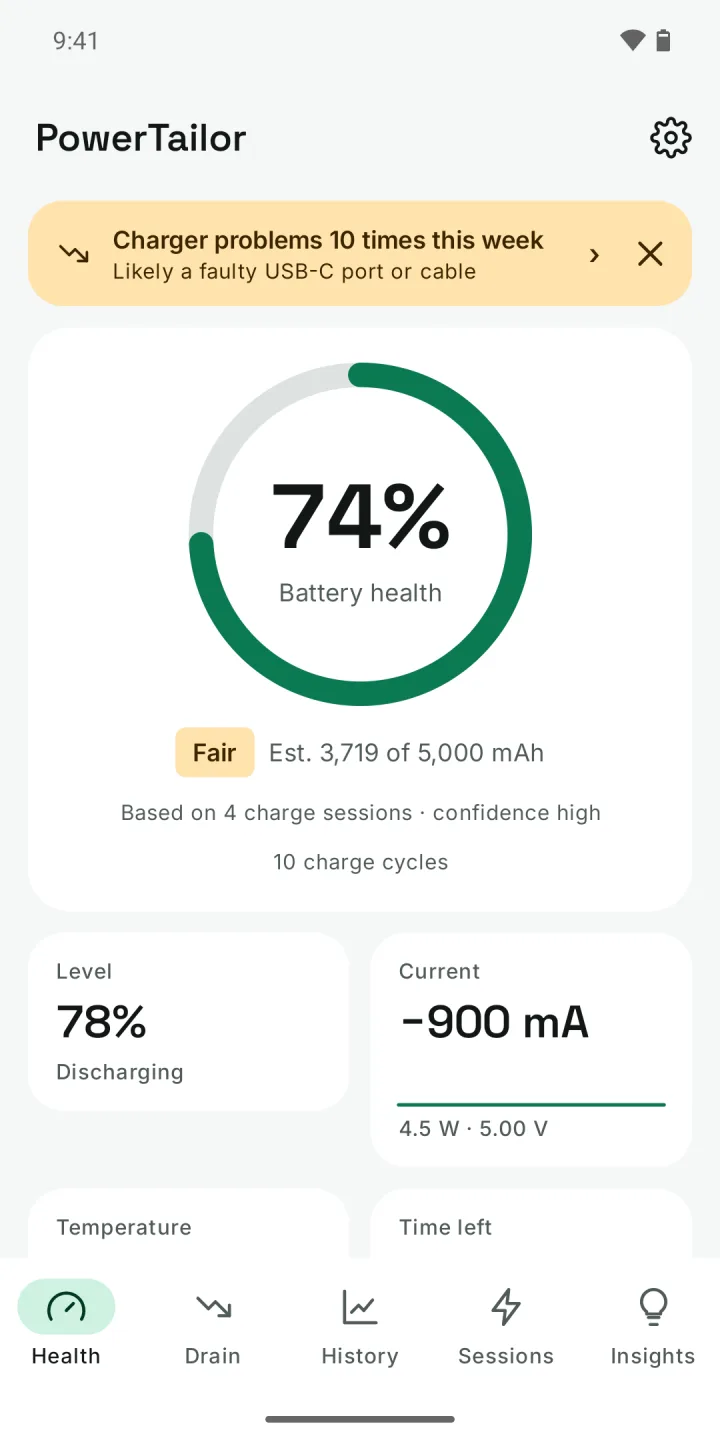
Find out why it drains
- Screen on vs. standby: drain per hour for each, and whether standby is healthy (about 0.3–0.8% an hour)
- Any time range: the last hour, 4 or 12 hours, today, yesterday, a week, or your own dates and times
- Per-app battery use: which apps cost you the most, in mAh. Tap one to see its screen time, how often you opened it, how hard it works the battery compared with your other apps, and its background data
- Drain detective Pro: apps running in the background and why, with one-tap fixes that PowerTailor checks afterwards
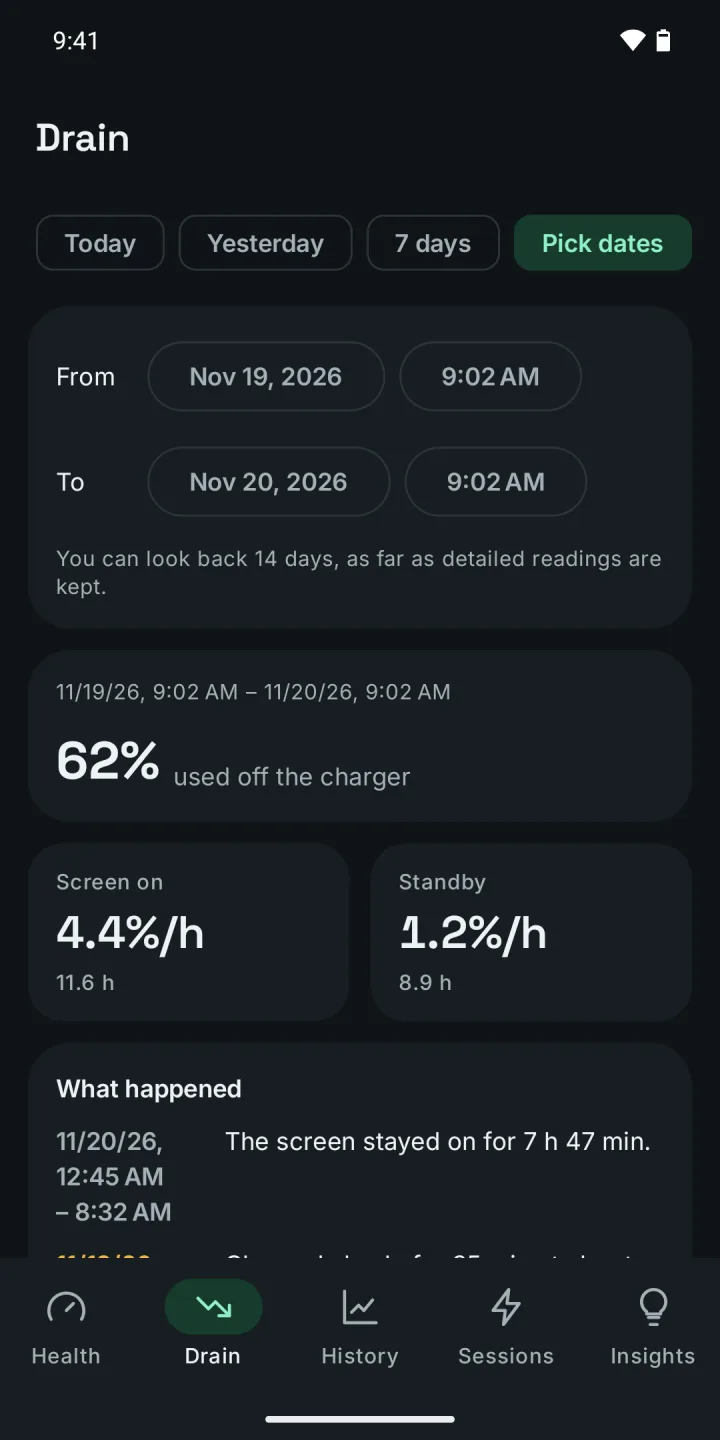
Catch charger problems early
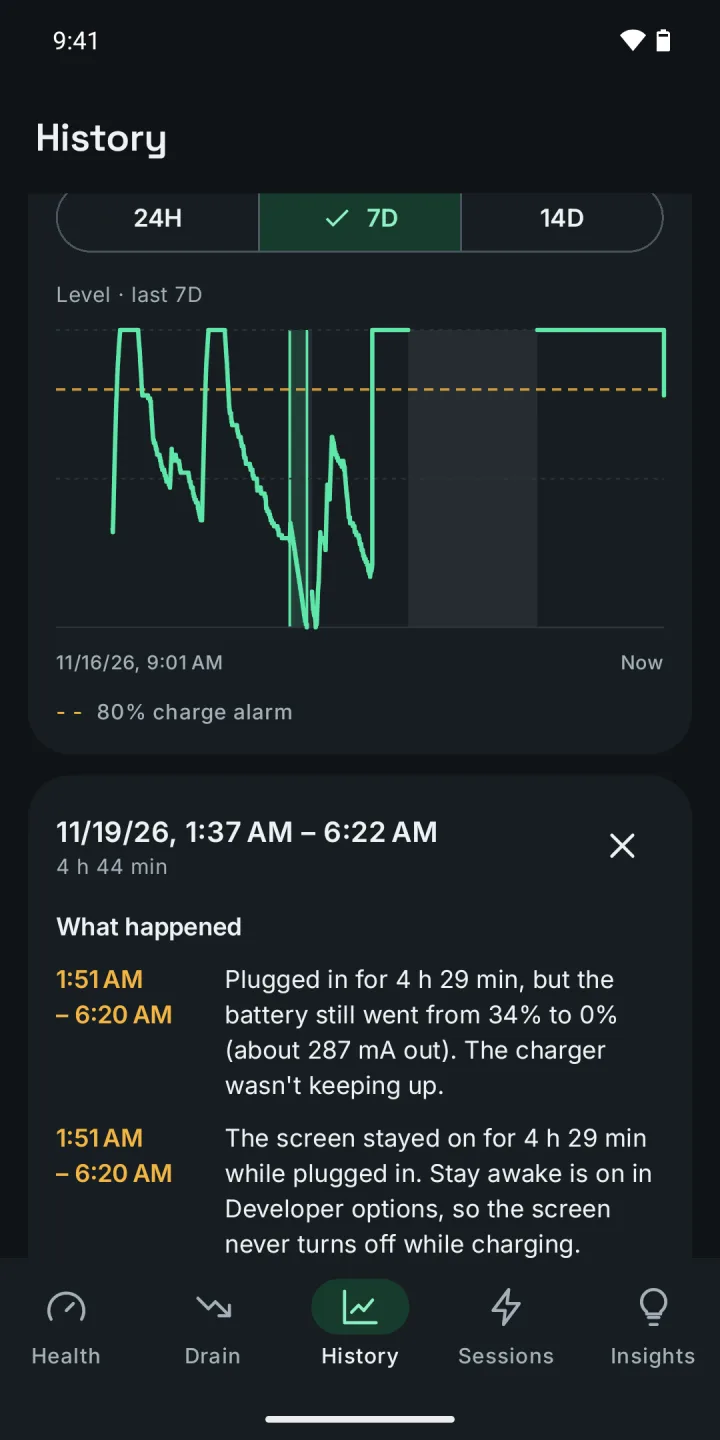
A worn USB-C port or a tired cable doesn't fail all at once. It flickers: the phone connects and disconnects, or stays plugged in while still losing charge. PowerTailor notices:
It alerts you while it is happening, again before the battery runs out, and once a week if it keeps happening. If your phone did die, the Health screen explains why and takes you to the exact moment in History.
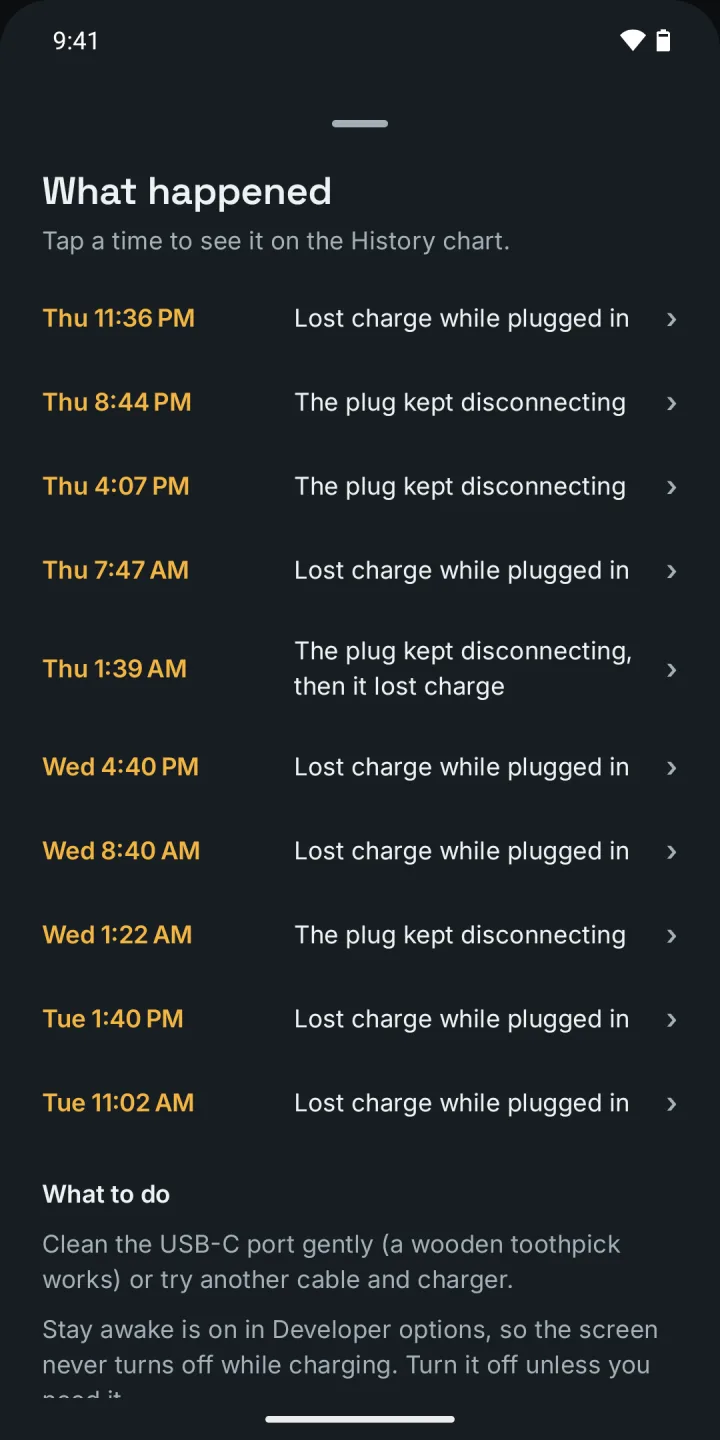
Charge kinder, keep it longer
- 80% charge alarm: lithium batteries wear more slowly when they aren't kept full
- Heat warnings while charging
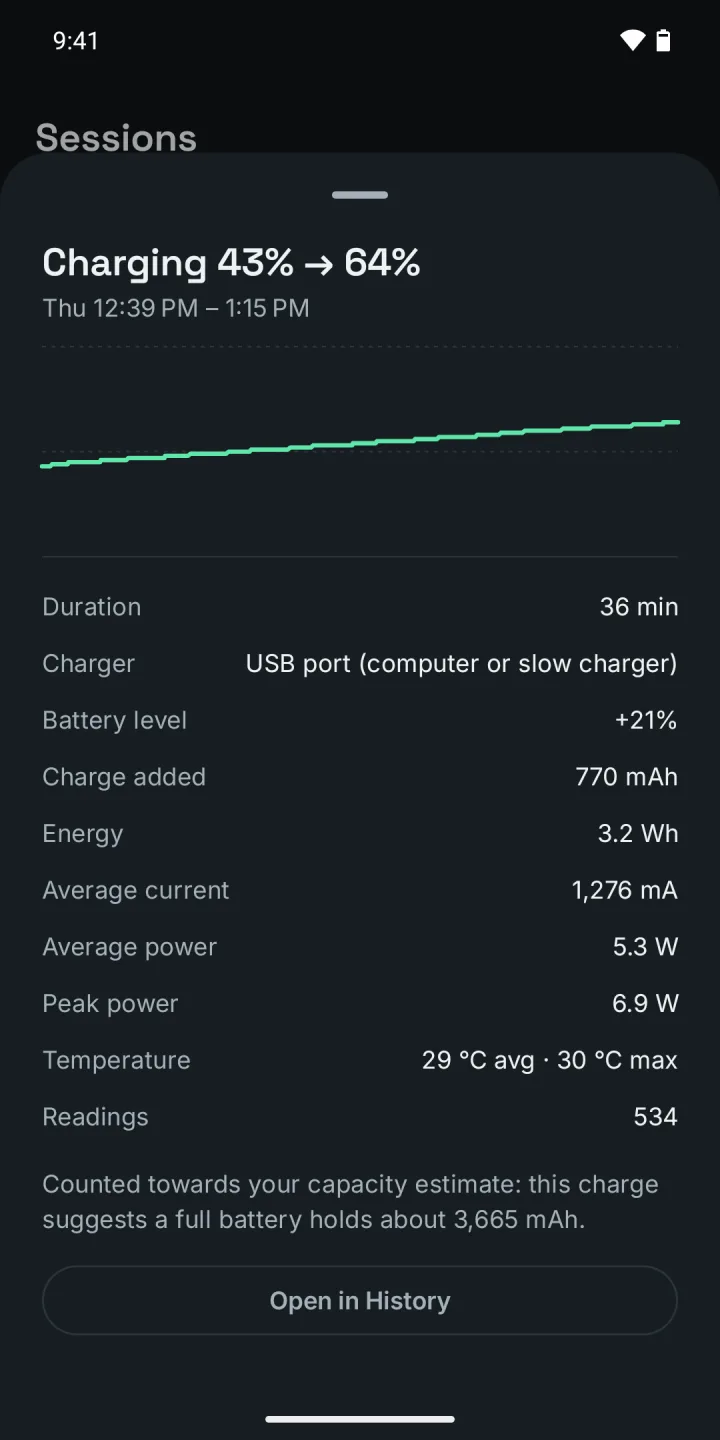
- Every charge recorded: speed, energy, temperature and a level chart for each session
Private by design
PowerTailor has no internet permission. It physically cannot send your data anywhere. Per-app numbers need Android's usage access, which is optional and which you grant yourself.
AccountsAnalyticsAdsCloud backupInternet access
Free, with an optional Pro
Pro is one payment through Google Play, never a subscription, and every Pro feature added later is included.
| Feature | Free | Pro |
|---|---|---|
| Battery health estimate | ||
| Drain: screen on vs. standby, any time range | ||
| Per-app battery use with details | ||
| Charger problem alerts and “What happened” | ||
| 80% charge alarm and heat warnings | ||
| Charge and discharge sessions with details | Last 10 | All |
| History charts | 7 days | 14 days |
| Pro only | ||
| Drain detective: background causes, fixes, 14-day trend | ||
| Full history: all-time capacity trend | ||
| Wear forecast | ||
| Charging score and screen time per app | ||
| Custom alarm level and low battery alert | ||
| Home-screen widget | ||
| CSV export and AMOLED black theme | ||
Every Pro feature is free for your first 7 days. No sign-up, no card. After that, Pro is one payment through Google Play, never a subscription.
How accurate is the health estimate?
It depends on what your phone's battery sensor reports. Each charge of 20% or more adds a measurement, and PowerTailor shows a confidence level that rises as they agree, so you know when to trust it.
Why does it need a notification?
Android only gives battery readings to an app that is running. In Accurate mode PowerTailor keeps a quiet ongoing notification so it can record every charge. Light mode checks every 15 minutes with no notification, at the cost of rougher estimates.
Does it drain my battery?
Very little. It reads values Android already measures and does nothing over the network.
Why does it ask for usage access?
Only to show which apps were on screen while the battery drained, and which apps used data in the background. It's optional, and the information never leaves your phone.
Which phones does it work on?
Android 8.0 and newer. Some phones report charging current poorly. PowerTailor detects this and tells you when an estimate isn't possible.
I changed phones. Can I move my history?
No. Battery history describes one particular battery, so it isn't backed up or transferred. Your Pro purchase comes with you through Google Play.
How do I delete my data?
Android Settings → Apps → PowerTailor → Storage → Clear storage, or uninstall the app. There is nothing stored anywhere else.

See what your battery has left
Free to download. Every Pro feature free for your first 7 days.
Get it on Google Play