 Power
How to check your Android phone's battery health
Every phone battery slowly loses capacity. After a couple of years it may hold only three quarters of what it did when new, and that is usually the real reason a phone “doesn't last the day any more”. Here is how to find out where yours stands.
In short
- Battery health is how much charge the battery holds now compared with its design capacity, as a percentage.
- Some recent phones show it in Settings. Many show only a vague status such as “Normal”, or nothing.
- The *#*#4636#*#* code reports a status flag, not wear. “Good” doesn't mean the battery is like new.
- For a real number, measure the charge going in over a few charges and compare it with the design capacity.
What “battery health” actually means
A battery's design capacity is printed on the spec sheet, for example 5,000 mAh. As the battery ages, chemical changes inside it reduce how much charge it can store. Its full charge capacity drops to, say, 4,100 mAh. Battery health is the ratio between the two: 4,100 ÷ 5,000 = 82%.
A phone at 82% health still shows 100% when full, because the percentage on screen is always relative to what the battery holds today. That is why wear is easy to miss: the battery icon looks the same, but each percent is worth less.
What's a good number?
- 95–100%: like new. Fresh batteries can even read slightly above 100% at first.
- 80–95%: normal wear for a phone that is one to three years old.
- Below 80%: noticeably shorter days. Many manufacturers treat 80% as the point where a battery is considered worn, and phones may shut down early in the cold or under heavy load.
- Below 70%: a battery replacement will usually make the phone feel new again.
Where Android shows battery health
Android itself has no single battery health screen on every phone. What you get depends on the brand, the model and the Android version.
Google Pixel
On recent Pixel models, open Settings → Battery → Battery health. Depending on the model it shows an estimated capacity or a status. Some Pixels also list the cycle count and manufacture date under Settings → About phone → Battery information.
Samsung Galaxy
Open the Samsung Members app, then Support → Phone diagnostics → Battery status. It gives a rating such as “Normal” or “Weak” rather than a percentage. Recent One UI versions may also show battery information in Settings, depending on the model.
Other brands
Some phones from OnePlus, Xiaomi, Motorola and others have a battery health or battery information page under Settings → Battery. Many don't. If you can't find one, the measurement method below works on any Android 8.0 phone or newer.
What about *#*#4636#*#*?
Typing *#*#4636#*#* in the dialer opens a hidden Testing menu on many phones. On newer Android versions it often no longer shows battery details at all. Where it does, the “Health” line is a status flag from the battery's controller: Good, Overheat, Dead, Over voltage or Cold. It reads “Good” on a battery that has lost a third of its capacity, so it can't tell you how worn the battery is.
How to measure real capacity
The reliable way is to measure the charge flowing into the battery while it charges, and work out how much a full charge would take. Most Android phones report the battery's charge counter or current, so this needs no special hardware.
- Charge from a lower level. A charge of 20% or more gives a usable measurement. Larger charges, for example from 20% to 90%, are more accurate than topping up from 70%.
- Let it charge undisturbed. Heavy use while charging mixes the power going to the screen and processor into the reading.
- Repeat over several charges. Single readings vary. Averaging a few charges, and seeing that they agree, is what makes the estimate trustworthy.
- Compare with the design capacity. Divide the estimated full charge by the design capacity to get health as a percentage.
Some phones report charging current poorly. A few models round the numbers heavily or report nothing useful. A good tool should detect this and tell you, rather than show a confident but wrong number.
What else wears a battery
Age and charge cycles both reduce capacity, but how you charge matters too. Batteries wear faster when they sit at 100% for hours, and much faster when they are hot. If your health is dropping quickly, read Should you stop charging at 80%?
How PowerTailor helps
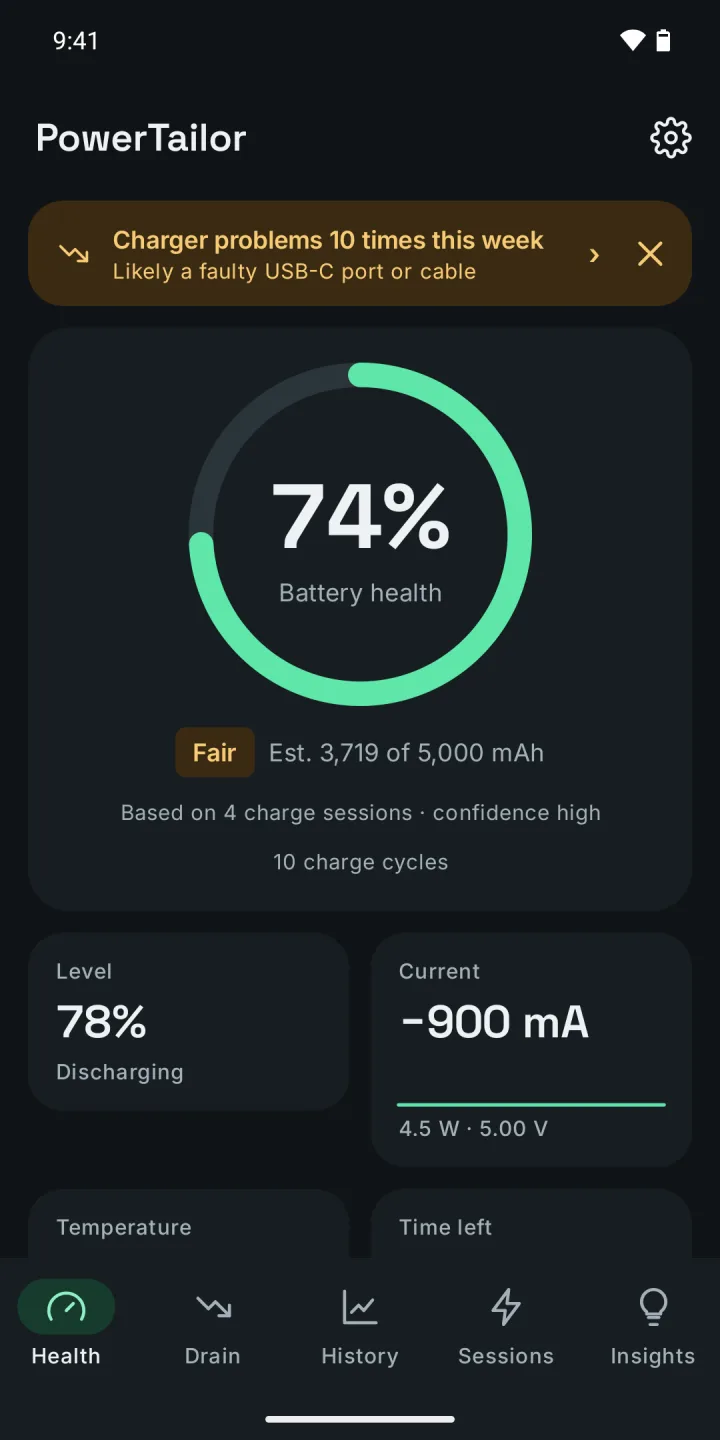
- Measures every charge automatically and estimates capacity in mAh against the design capacity
- Shows a confidence level that rises as measurements agree, so you know when to trust it
- Counts charge cycles and, with Pro, forecasts when health will drop below 80% and 70%
- Tells you if your phone reports current too poorly for an estimate